 InOneShot
Generate hundreds of personalized PDFs in one click, from your Excel. 100% local.
From a single PDF template and an Excel file, place your fields by drag & drop, then generate one PDF per row plus a ready-to-send ZIP. No cloud, no subscription.


Free, via the Microsoft Store — no security warning, no credit card
Example: a batch of 150 personalized PDFs, generated in under a minute — versus nearly a full day of manual copy-pasting.
InOneShot in action — 1-minute demo
Is PDF mail merge eating your time?
Copy-pasting each name into a template, exporting a PDF, renaming the file, doing it again a hundred times — it is the most thankless task there is, and a single typo means starting over.
Let InOneShot do the busywork in 3 steps:
Import your PDF template and your Excel file
Place your fields by drag & drop (columns, date, signature, QR code)
Generate one PDF per row plus a ZIP — in a single click
How it works
Three steps, zero hassle.
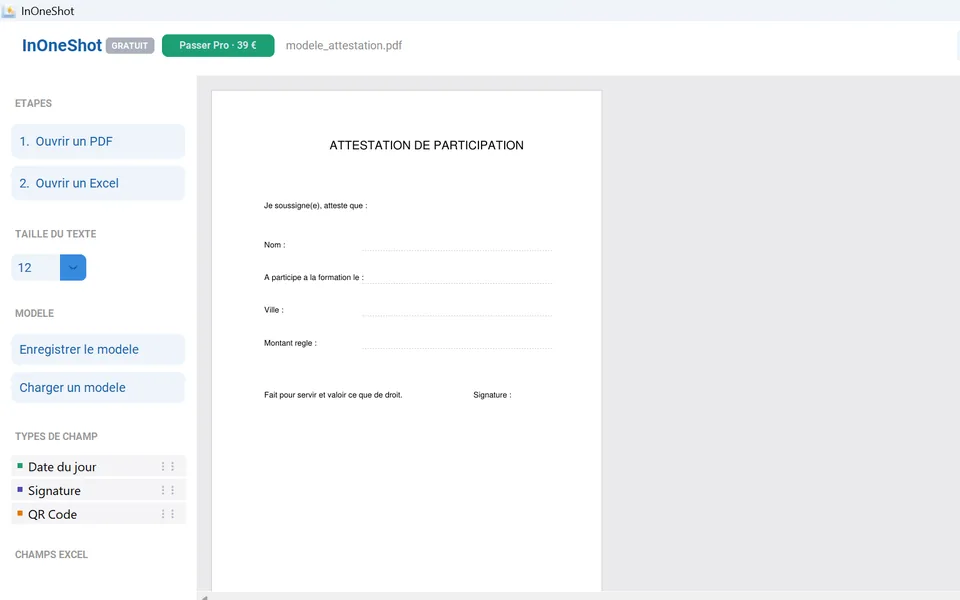
Import your files
One PDF template + one Excel sheet (.xlsx) as your data source.
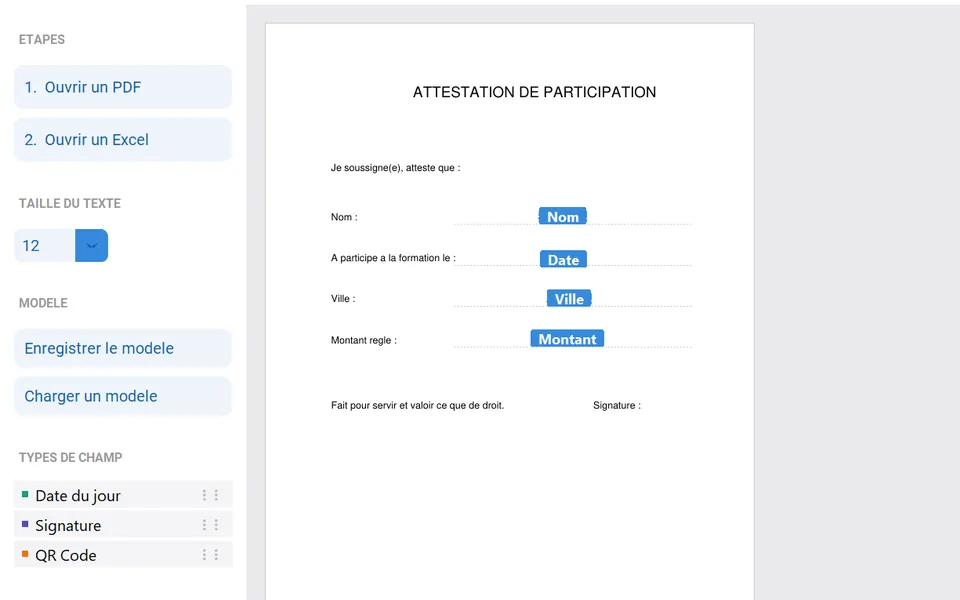
Place your fields
Drag & drop columns, today's date, a signature image or a QR code.
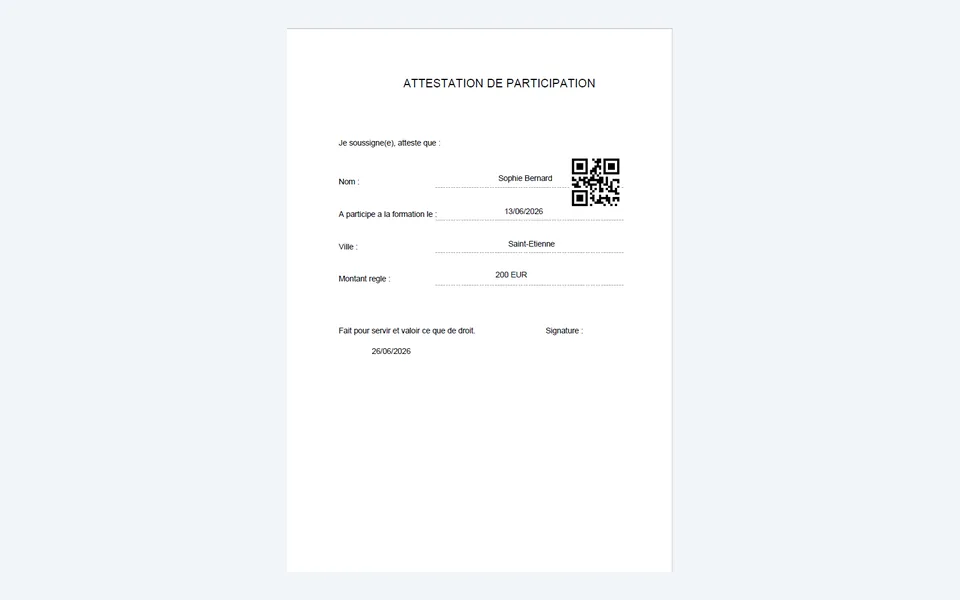
Generate in one shot
One PDF per row, auto-named, bundled into a ready-to-send ZIP.
Simple, honest pricing
Start free. Upgrade when you need volume.
Pro
Pay once. Use forever.
Launch offer — 30% off for the first 20 customers
LANCEMENTapplied at checkout
≈ €27.30 instead of €39
- Unlimited batches (hundreds of PDFs)
- Automatic ZIP export
- QR codes & signature images
- Automatic current date
- Automatic file naming
- Updates included for 12 months
- Priority support
⭐ One-time payment: €39 once — instead of a recurring subscription.
Why InOneShot?
100% local, private & GDPR-compliant
Your PDFs and your data never leave your computer. No server, no cloud. Ideal for HR, notaries, invoices and any sensitive document.
One-time payment, lifetime access
Tired of subscriptions for a tool you use now and then? Buy InOneShot once, use it forever.
Everything in one shot
Hundreds of PDFs generated in seconds, automatically named and bundled into a ZIP — ready to send.
Comparison · July 2026
PDF mail merge, done right and kept local
Classic Word/Excel mail merge does not output native PDFs. Online tools upload your data to the cloud. InOneShot keeps everything on your machine — with advanced fields and a one-click batch.
- 100% local
- Advanced fields (QR / signature)
- QR, signature, date
- Batch in 1 click
- PDF + ZIP
- 100% local
- Advanced fields (QR / signature)
- no native PDF
- Batch in 1 click
- manual PDF export
- 100% local
- Advanced fields (QR / signature)
- Batch in 1 click
- paid plugin
- 100% local
- cloud upload
- Advanced fields (QR / signature)
- plan-dependent
- Batch in 1 click
| 100% local | Advanced fields (QR / signature) | Batch in 1 click | Price | |
|---|---|---|---|---|
InOneShotOur app PDF + ZIP, named automatically | QR, signature, date | PDF + ZIP | €39 one-time | |
Word/Excel mail merge classic merge | no native PDF | manual PDF export | Office included | |
Adobe Acrobat (+ plugin) | paid plugin | ~€24/mo | ||
Online PDF tools | cloud upload | plan-dependent | subscription |
Indicative comparison compiled in July 2026. Competitors' features, limits and prices may vary.
“I used to spend hours merging my PDFs one by one and renaming each file by hand. InOneShot does the whole batch in one shot — exactly the tool I wanted.”
Hundreds of letters, certificates or invoices to produce?
InOneShot generates one PDF per row of your Excel and hands you a ready-to-send ZIP — in a single click, 100% on your computer.